What is AI event creation?
AI event creation turns early event context into an editable page draft, while leaving the host responsible for facts, judgment, and the guest experience.
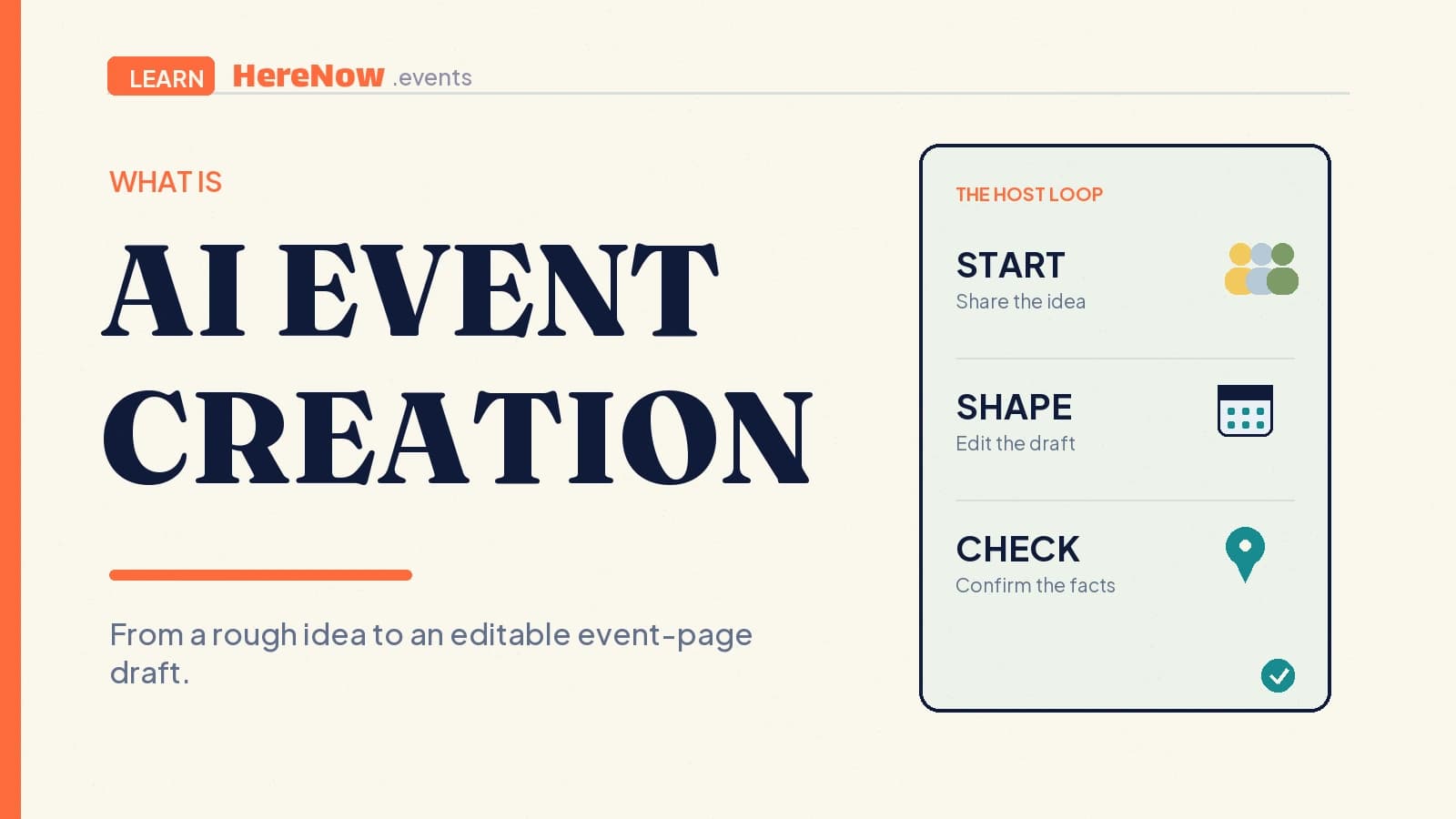
AI event creation is the use of artificial intelligence to turn an early event idea into an editable event draft: a working title, a guest-facing description, suggested structure, and details that can become a shareable page. It is useful when a host has the shape of a workshop, walk, class, or supper club in mind but not yet the words or page structure. The host remains responsible for checking every real-world detail before publishing.
A draft-making workflow, not a publish button
Traditional event setup starts with a blank form. AI event creation starts with context: “a beginner ceramics workshop next Saturday for eight people,” for example. The system can turn that fragment into a structured first pass, so the host has something concrete to review instead of a stack of empty fields.
The important word is draft. AI can suggest language and organize supplied information, but it does not know whether a studio is truly available, a guest has agreed to speak, or a weather plan is safe. Good AI event creation puts a human host between the generated material and the public invitation. That keeps the process fast without pretending that a polished paragraph is proof that an event is ready.
On HereNow, a host can begin from a rough idea and move into an editable event draft. The creation flow can also work from an event poster or an existing public event link as source material. The next task is not to admire the output; it is to make it accurate, specific, and ready for a guest’s decision.
What AI can help shape
AI event creation is most useful for the parts of an invitation that need a coherent first pass. Depending on what the host provides, it can help organize a draft around:
- Positioning: a title and plain-language promise that explain what the gathering is and who it suits.
- Guest-facing copy: an introduction, practical reminders, and a concise description of what to expect.
- Structure: a suggested agenda, activity sequence, or set of registration questions to review.
- Presentation: a starting visual direction, category, tags, and page layout choices.
These are starting points, not commitments. A suggested agenda can help a first-time host see the shape of a two-hour class; it should still be adjusted for the actual venue, materials, facilitator, and pace. For a closer look at that guest-facing structure, see what an event agenda is.
The host supplies facts and judgment
Before any page is shared, verify the parts that change a guest’s decision: title, date, start and end time, timezone, location or joining link, price, capacity, accessibility information, host identity, and RSVP settings. Review the description as carefully as the logistics. It should describe the actual experience, not a generic version of the kind of event AI has seen before.
This review is not busywork. NIST’s generative-AI profile describes “confabulation”: systems can present erroneous or inconsistent content with confidence, including content that diverges from a user’s prompt. Its guidance on generative-AI risks is a practical reason to treat every generated date, address, claim, and citation as a claim to verify rather than a fact to repeat.
Human oversight also protects the event’s voice. The OECD’s AI Principles call for mechanisms that support human agency and oversight, as well as clear information about an AI system’s capabilities and limitations. Those principles align with a simple hosting rule: use AI to expand a draft, then use your knowledge of the people and place to decide what belongs on the page.
Use a short review loop
For a small event, a dependable creation loop can be brief:
- Write the seed idea with the facts you already know.
- Generate a draft, then mark every unknown, assumed, or overly broad line.
- Replace assumptions with confirmed details and simplify language a new guest might misunderstand.
- Preview the page as a guest, test the RSVP path, then publish only when the essentials are correct.
This is a lightweight version of a broader practice: consider quality and risk during AI use, not after the output has spread. NIST’s AI Risk Management Framework is designed to bring trustworthiness considerations into the design, use, and evaluation of AI systems. Its companion Playbook organizes that work around governing, mapping, measuring, and managing risk. A host does not need a formal program to borrow the habit of checking the output before acting on it.
Illustrative example: a first supper club
Andre wants to host a 12-person neighbourhood supper club. He gives the AI the ingredients he knows: a Sunday evening, a vegetarian menu, a small dining room, and a desire for conversation among people new to the area. The first draft gives him a welcoming title, a short invitation, a tentative arrival flow, and a list of questions guests may want answered.
Andre then does the hosting work. He confirms the address and arrival instructions, changes the capacity to match the table, removes any claim about the menu that is not final, adds allergy guidance, and makes the RSVP choice clear. The final page sounds like Andre and helps a guest decide whether the dinner is right for them. AI shortened the blank-page phase; it did not run the event for him.
From draft to a page guests can use
A successful AI-created draft becomes valuable when it turns into one clear place for guests to act. A good event page pairs the story with the particulars: who is hosting, when and where it happens, what guests should bring, and how to RSVP. That is why the editing step matters as much as generation.
If the idea is ready for a first pass, try AI event creation in HereNow, then review the draft with the same care you would give an invitation written from scratch. The goal is not more generated text. It is a clear, accurate page that makes joining easy.
Frequently asked questions
Does AI event creation replace an event host?
No. It can reduce the time needed to turn an idea into a usable draft, but a host still decides the purpose, confirms logistics, manages capacity, responds to guests, and creates the actual experience. AI is best treated as a drafting collaborator, not the accountable organizer.
What should I give the AI before generating an event?
Start with the facts you know: the kind of gathering, intended guests, date or date range, place, approximate duration, price if any, and the desired feeling. It is fine to leave unknowns open, but label them as open rather than letting a fluent draft turn them into invented specifics.
Can I edit an AI-created event page?
Yes. Editing is the point of the workflow. Treat title, description, agenda, visual choices, practical details, and RSVP settings as host-controlled fields. Before publishing, read the page from a guest’s perspective and correct any wording that overpromises, obscures a requirement, or leaves a decision-critical detail unclear.