How to Reduce No-Shows for Small Events
A practical RSVP-to-arrival plan for reducing avoidable no-shows with clearer commitments, useful reminders, cancellations, and capacity planning.
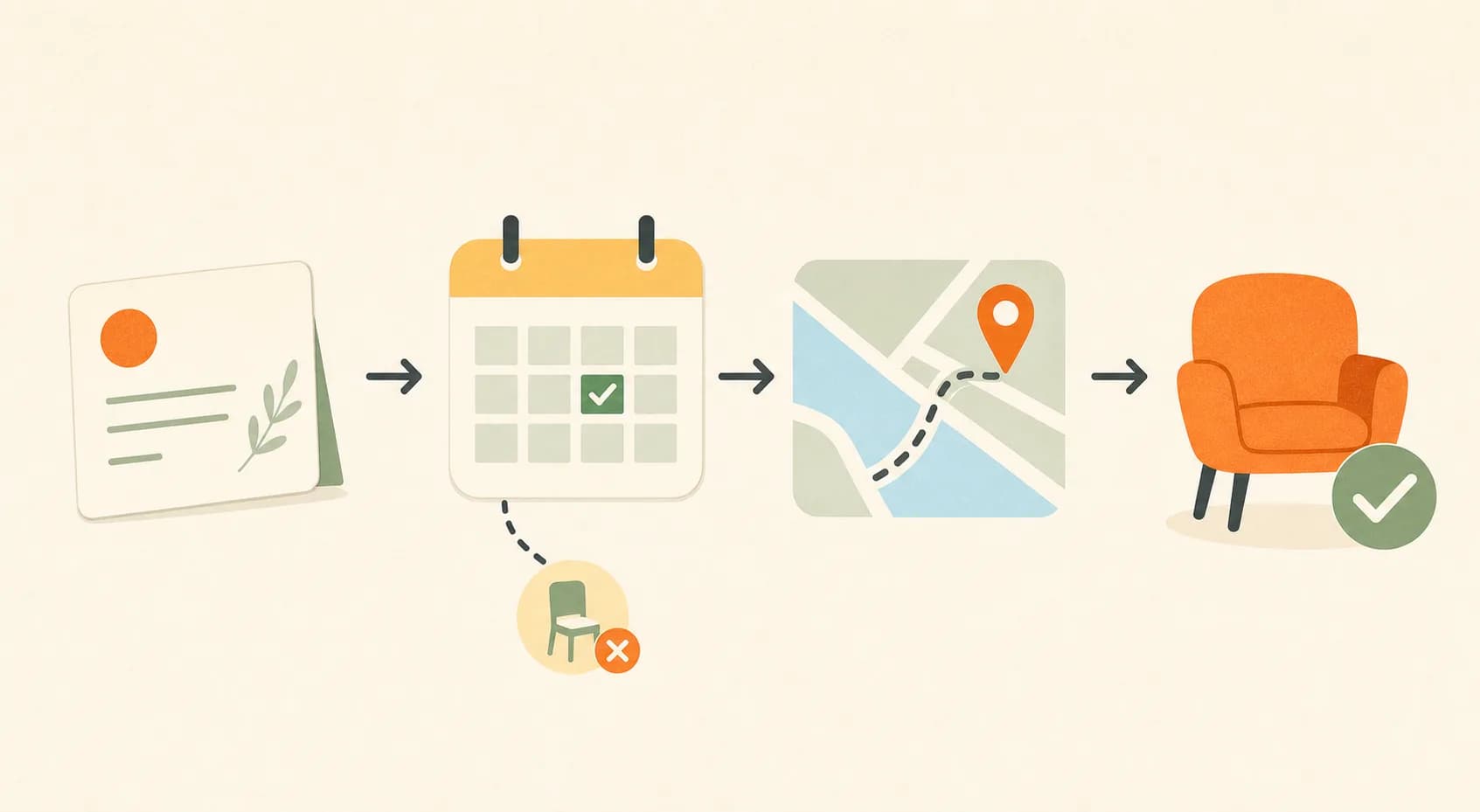
A no-show is a registered guest who does not attend. You cannot remove every one from a small event: people get sick, care responsibilities change, work runs late, and transport plans fail. You can reduce avoidable no-shows by treating an RSVP as the start of an attendance decision, not proof that someone will arrive. The practical job is to help guests recommit, solve the last-mile details, and change plans early enough for you to respond calmly.
Key Takeaways
- Count an RSVP as interest first, then help the guest make one concrete next decision.
- Put time, route, access, preparation, and the event promise in one reliable place before guests need them.
- Make an early cancellation easy and useful, so a change of plans becomes information instead of a silent absence.
- Use a clear release rule for seats, materials, and waitlisted guests instead of relying on a made-up show-rate benchmark.
Treat a No-Show as a Gap Between RSVP and Arrival
A no-show is a registered guest who does not attend. That definition is useful because it separates interest from arrival. Someone can genuinely want to come when they RSVP, then fail to make a plan around the event, lose the details, feel uncertain about joining alone, or decide that the trip is not worth the effort. Research from an interview study of 31 respondents on online event invitations found that online participation did not automatically become offline attendance. Each RSVP begins an attendance decision, and practical friction can still interrupt it. It is a small qualitative study, not an attendance benchmark, but it points to the right question: what has to happen between a guest's yes and the moment they walk through the door?
Start by looking at the stages where your guests go quiet. A high RSVP count with few calendar saves suggests a commitment problem. Repeated questions about parking, building access, or what to bring point to a logistics gap. Last-minute apologies reveal that guests had no easy way to tell you earlier. These are different problems, so they need different fixes. Sending the same reminder one more time may make no difference when the real obstacle is an unanswered question.
Make the RSVP a Real Commitment
A fast RSVP is valuable because it keeps registration welcoming, but it should lead to one useful next action. Research from a meta-analysis of 47 experimental tests found that changes in intention produced smaller changes in later behavior, a useful reason not to treat an RSVP as a guarantee of arrival. For a host, the lesson is simple: ask guests to make the event real in a small, respectful way instead of asking them to repeat that they are excited.
Choose One Action That Reduces Uncertainty
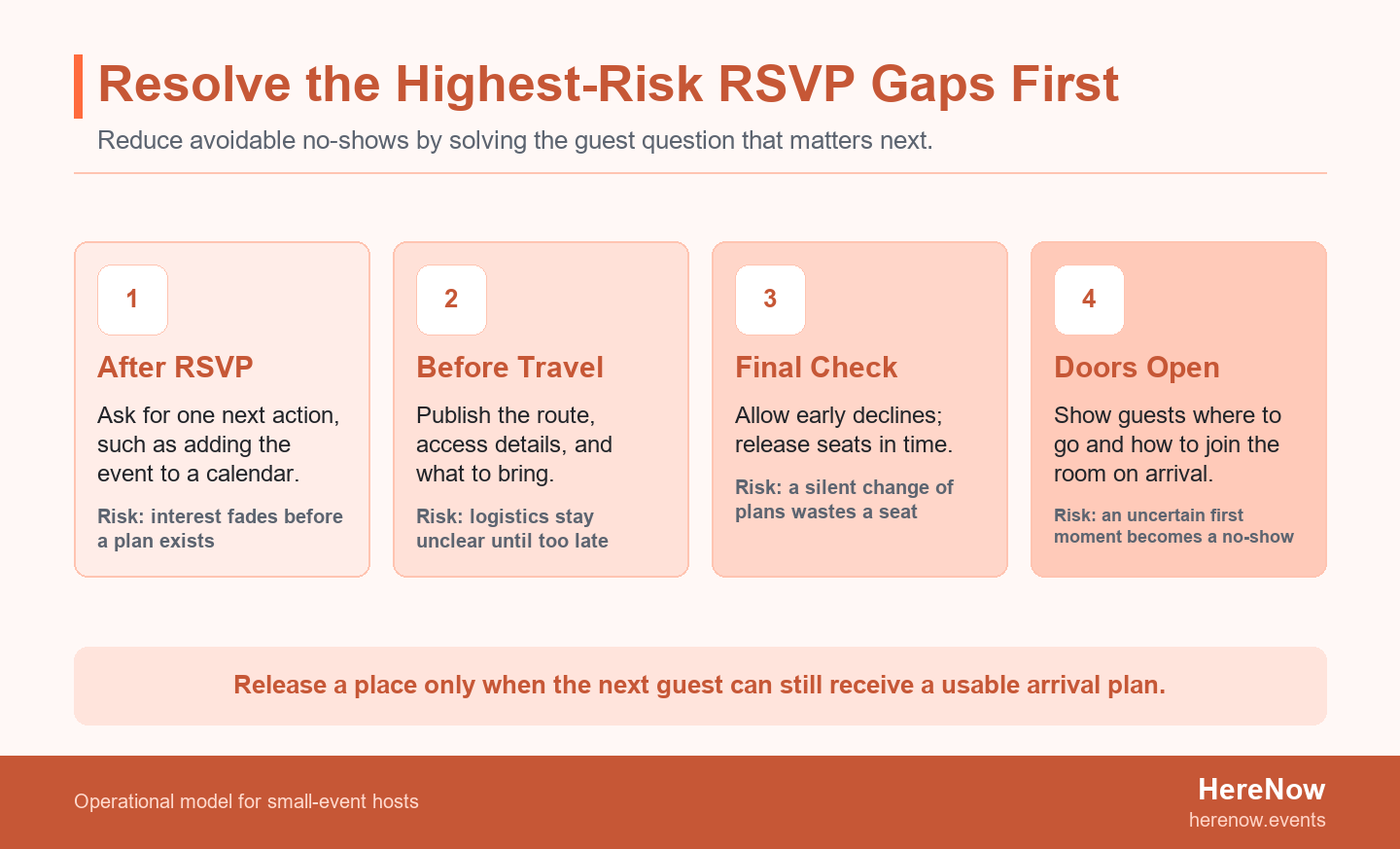
Give a guest one next step that matches the event. For a workshop, that might be adding the start time and address to a calendar. For a neighborhood walk, it might be checking the meeting point and weather plan. For a limited-seat class, it might be confirming that they can attend or releasing the place. Do not stack five requests into the confirmation screen. The point is to turn a vague future intention into a small plan that the guest can complete in less than a minute. A completed action also gives the host a better reason to send the next useful detail, rather than another generic nudge.
Keep Registration Light, Then Capture What Helps
A complicated sign-up form can create its own drop-off before the guest has even committed. Collect the details you need to run the room well, then make the follow-through clear. HereNow can help hosts collect RSVPs without requiring an attendee account, which keeps the confirmation step focused on the event rather than on creating another login. Use the confirmation message to point to one decision: save the date, check the arrival notes, or tell the host promptly if plans change.
Specific, respectful wording also matters. Data from a UK government trial of approximately 20,000 patients across 5 clinics, with reminders sent 5 days before appointments, found that message framing affected missed appointments. The setting is healthcare, not a community event, so do not copy its language or results as an event rule. Borrow the narrower lesson instead: make the requested action obvious, explain why an early update helps, and give guests a direct way to act.
Remove Practical Barriers Before They Build
Arrival friction means small unanswered logistics questions that create a harder arrival: the exact entrance, a confusing address, a late schedule change, an unclear accessibility detail, or not knowing what to bring. Data from a systematic review that retrieved 727 articles and review papers on appointment no-shows identified lead time and access barriers among recurring factors. Those findings are not a forecast for your event, but they support a sensible host habit: resolve practical barriers before the final day rather than hoping guests will sort them out on their own.
Publish the Last-Mile Details
Put the information a guest needs when leaving home in one scannable block: exact start and finish time, venue name, full address, entrance or floor, transit and parking notes when relevant, accessibility information, host contact route, and what to bring or wear. Add a short note about what happens if someone arrives late. A guest should not need to search old email threads, social posts, and group chats to decide whether arriving is still possible. When a venue has a gate, shared lobby, or difficult landmark, include one photo or plain-language landmark cue in the same block.
Name the Social Plan
Logistics are not only physical. Some people skip a small event because they cannot picture the first five minutes. Say whether guests can arrive alone, where check-in happens, whether beginners are welcome, and how the host will start the room. For a workshop, describe the first activity. For a discussion, name the opening prompt. This gives a tentative guest a place to imagine themselves, which is often more useful than another persuasive line about how fun the event will be. When you need adjacent planning support, explore more host guides for capacity, agendas, invitations, and guest experience.
Design Reminders as an Attendance System
A reminder is not one type of message. It can help a guest remember, prepare, reconfirm, or decline early. Research from a 2023 systematic review of 61 studies found that reminder effects varied by delivery and setting. Data from a separate meta-analysis of 26 articles and 16,076 primary participants reported that multiple notifications performed better than a single one in the reviewed clinic studies. Neither result tells a small-event host exactly how many messages to send. Together, they show why a sequence needs a job at each touchpoint instead of repeated broadcasts.
Give Each Touchpoint One Job
| Moment | Primary job | Useful guest action |
|---|---|---|
| Right after RSVP | Make the plan concrete | Save the time and open the event page |
| Several days before | Remove preparation questions | Check route, materials, access, or weather plan |
| Near the event | Confirm the final decision | Reply or use the cancellation path if plans changed |
Choose the timing from the format, lead time, and the amount of preparation involved. A local one-hour gathering may need fewer touchpoints than a paid workshop that requires travel or supplies. Research from a review of mobile messaging found that evidence quality and delivery conditions also varied. Use those findings as a reason to observe your own guest response, not as a mandate to send a fixed number of messages.
Link Every Message Back to One Current Page
Every message should return guests to the same updated event page. That page holds the promise they signed up for, the schedule, the arrival details, and the change-of-plans route. It also gives you a single place to edit when the room, weather, or timing changes. Guests are more likely to act when they do not have to decide which of several messages contains the current information. This also protects the host from having to correct several different versions of the plan in private replies, especially during the final day before the event.
Make a Graceful No Possible
Do not make guests feel that cancelling is rude. An early no is useful operational information: you can adjust materials, seating, host coverage, or whether to invite someone from a waitlist. Data from a review of appointment reminder systems treated improved cancellation and rescheduling as useful outcomes alongside attendance. The setting is different, but the operating principle travels well. A host needs an honest answer sooner than a reluctant yes that turns into silence.
Write One Simple Cancellation Path
Use one plain instruction in the confirmation and final message: reply to this message, use the update link, or contact the host by a stated time. State what will happen next. For example, a guest can release a place, receive a confirmation, and allow you to offer it to someone else. Avoid threats, public shame, or elaborate policies for a small community event. A clear path is fairer to guests and gives you cleaner information than an emotionally loaded warning. It also makes a future RSVP feel safer because guests know they can communicate honestly if life changes.
Plan the Room for Uncertainty, Not Perfection
Do not invent a universal no-show percentage and build the whole room around it. Your format, price, travel distance, audience, and lead time all matter. Instead, write a release rule before the event: what condition lets you offer an opened place, what information must the next guest receive, and when is it too late to do so without creating confusion?
Illustrative Example: An 18-Seat Workshop
Imagine an 18-seat pottery workshop with materials prepared for each participant. Two guests cancel three days before the event. The host does not assume that another two people will fail to appear. They update the attendance list to 16, check whether two waitlisted guests can still receive the full route and preparation notes, and offer one released place at a time. The trigger is not a guessed attendance rate. It is the moment a cancellation arrives early enough for the next guest to make a real plan.
If nobody on the waitlist can respond in time, the host prepares for 16 and keeps the room welcoming. That is not a failure of promotion. It is a calm operating choice based on the information available. After several events, compare registrations, early cancellations, and actual arrivals by format. Your own history can inform a more specific materials buffer than any generic online benchmark.
Build the Attendance Loop Into Your Event Page
The public event page is not just where a guest registers. It can be the reference point that carries the attendance loop from promise to arrival. Keep the outcome clear, show the agenda or flow, answer last-mile questions, and update the page when something changes. HereNow is built for independent hosts who need a clear public event page and RSVP flow; you can see how HereNow supports independent hosts when that workflow is missing.
Check the Page From a Guest's Point of View
Open the page on a phone after you have already received a confirmation. Can you find the exact address, start time, entry instructions, host contact route, and cancellation action in under a minute? Can a first-time guest tell what will happen when they arrive? If not, the issue is not only copy. It is an attendance barrier. Fix the page before you send the next reminder, because every future message should point back to something that is actually ready to help. Test the page after any venue or schedule change as well, because a correct old answer can still create confusion.
Run a Simple Pre-Event Attendance Check
Use two calm decision points rather than a frantic last-minute push. About a week before the event, check whether the public page answers the practical questions, whether guests know the next action, and whether the cancellation route is visible. Nearer the event, check which guests need a final logistics note, whether an early cancellation opened a place, and whether the room plan still matches the information you have.
- Confirm that the event page contains the current time, route, access notes, and preparation details.
- Send one message with a distinct purpose, not a repeat of the earlier invitation.
- Make the change-of-plans action easy to find and respond to each early decline.
- Apply your release rule only when a replacement guest can still receive a usable arrival plan.
- Record registrations, early cancellations, and arrivals separately after the event.
That final record turns each event into evidence for the next one. A clear page, a gentle recommitment, and an honest cancellation path will not control every variable, but they give guests fewer reasons to disappear. Before you share the next invitation, use HereNow to start your event page.
Frequently Asked Questions
Should I Charge for a Free Community Event to Reduce No-Shows?
A small price can change the decision, but it should match the event's costs, access goals, and guest expectations rather than work as a punishment. A fee may be appropriate for materials, limited instruction time, or a small venue. It is not a substitute for a clear promise, practical arrival notes, and a way to cancel early. Start with the actual economics and audience you want to welcome, then decide whether a paid place supports that experience.
How Many Reminders Should I Send Before a Small Event?
Send enough touchpoints to make the plan concrete, remove logistics questions, and allow a change of plans, then stop before messages become noise. The right number depends on lead time and preparation. A short local gathering may only need confirmation and a final logistics note. A workshop with materials, travel, or a limited seat may need an additional preparation touchpoint. Give each message a different job and use your own attendance record to refine the sequence.
What Should I Do When Someone Cancels on the Event Day?
Thank them for telling you, update the attendance count, and contact a waitlisted guest only when that person can still receive a clear and usable arrival plan. Do not rush a replacement into a confusing situation just to fill a chair. If it is too late, adjust the room, materials, or partner work calmly. The useful outcome is accurate information and a guest who feels able to communicate next time.
Can a Better Event Page Reduce No-Shows After People RSVP?
Yes, when it remains the clearest single place for time, address, arrival instructions, agenda, accessibility notes, and what to bring. It cannot remove every last-minute conflict, but it removes the avoidable work of searching across old messages. Link each confirmation and reminder back to the updated page, then make sure the page answers the questions a first-time guest will have shortly before leaving home.