How to Choose the Right Event Capacity
A capacity guide for choosing the room size, registration cap, waitlist, and access checks that protect the guest experience.

The right event capacity is the smallest number of guests you can serve well while still creating the energy your event promised. Do not start with the venue maximum. Start with the activity, host attention, materials, accessibility, movement, registration plan, and the experience guests expect when they say yes.
A room that can legally hold 40 people may still be wrong for a 12-person candle workshop, a 10-person founder roundtable, or an 18-person dinner. Capacity is not only about whether people fit. It is about whether the event still works when every registered guest arrives.
Key Takeaways
- Capacity is an operating promise, not just a venue number.
- The real cap is set by the tightest constraint: space, safety, materials, host attention, time, or group quality.
- Small paid events usually need more conservative capacity than casual free RSVPs because buyer expectations are higher.
- Accessibility, arrival flow, seating, and wait time should be counted before the page goes live.
- Use waitlists, approval, or second sessions only when they solve a real guest or host problem.
Capacity Is an Operating Promise, Not a Venue Number
Capacity tells guests what kind of room they are entering. A cap of 8 says the host can notice each person. A cap of 20 says the format can handle more movement and less individual attention. A cap of 60 says the event is closer to a public gathering than a high-touch experience. The number shapes expectations before the first message is sent.
This is why the venue maximum should be treated as an upper safety boundary, not as the planning answer. The UK Health and Safety Executive asks organizers to assess crowd risks by looking at how people arrive, enter, move, exit, and disperse, and it specifically connects crowd size to venue suitability and audience profile in its crowd safety risk guidance. Even for a small independent event, that logic is useful: the room is only one part of the capacity decision.
The public cap should reflect the tightest constraint
List every constraint, then let the smallest serious constraint set the public cap. A workshop may have room for 18 chairs but only 12 complete material kits. A discussion salon may have 20 interested people but only 8 voices that can participate meaningfully in 90 minutes. A dinner may have a table for 14 but one host who can welcome, serve, and reset calmly for 10. Capacity fails when the host publishes the largest visible number and ignores the smallest hidden constraint.
A useful test is: if every confirmed guest appears on time, what breaks first? If the answer is "nothing," your cap is probably realistic. If the answer is "the host will rush," "people will wait for tools," "the entrance will bottleneck," or "the conversation will become passive," the cap is too high for the promised experience.
A lower cap can be more honest than a full room
Many new hosts worry that a small cap looks less successful. In practice, a smaller honest cap can make the event feel more intentional. "Limited to 10 because everyone gets individual feedback" is stronger than "30 spots available" on a page that promises hands-on help. Scarcity only builds trust when the reason is real. Fake scarcity trains guests to doubt the page.
Think of the cap as part of the offer language. If the event is intimate, say why. If it is casual and open, explain how the host will make the room easy to navigate. If it is paid, connect the cap to what guests receive: materials, seat, feedback, tasting portion, coaching time, or group participation. The number should make the page clearer, not merely more urgent.
Check Safe Movement Before Experience Math
Before you choose an attractive guest count, check whether people can actually move through the event. Arrival, check-in, coat storage, bathrooms, food service, tables, demonstration areas, exits, and waiting points can all reduce usable capacity. The question is not "Can people stand there?" It is "Can people participate without creating pressure points or confusion?"
HSE's guidance on crowd controls inside the venue calls out blocked pedestrian routes, pinch points, viewing areas, supervision, and communication. A small host does not need a stadium-level plan, but the same pattern applies. If people will queue at one table, gather around one instructor, or move between stations, the cap should leave room for the activity, not only bodies.
Arrival, exits, and queue points set the first boundary
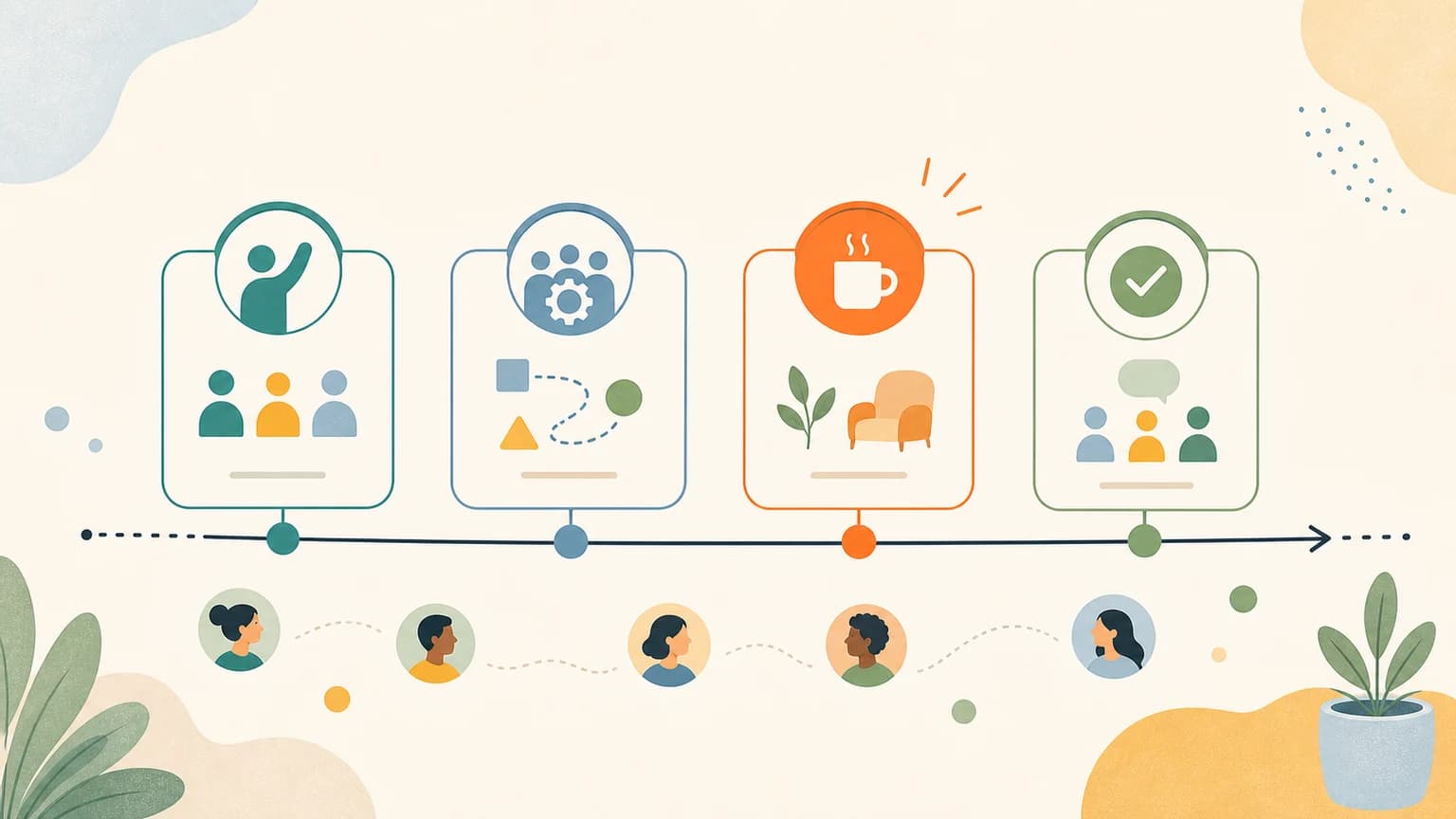
Map the first ten minutes of the event. Where does a guest enter? Where do they wait? Who checks them in? Where do they put bags? Where do late arrivals stand without interrupting the room? The first ten minutes often reveal a smaller capacity than the floor plan suggests because the same doorway, host, or table may carry several jobs at once.
For a hands-on class, avoid placing the materials table directly inside the entrance if every guest needs supplies. For a dinner, avoid using the same narrow path for greeting, drinks, and bathroom access. For a talk or salon, leave enough aisle space for people to reach seats without climbing over others. When the movement path is clean, the published cap feels calm. When the movement path is crowded, even a technically safe number can feel messy.
Accessibility space belongs in the capacity number
Accessibility is not an extra layer after capacity is chosen. It changes the usable layout. The ADA National Network's temporary events accessibility guide frames accessibility as part of planning temporary events, while Cornell's accessible meeting and event checklist points to practical needs such as seating, pathways, food information, and accommodation requests.
For a small event page, this means your cap should leave real space for wheelchairs or mobility aids, clear aisles, service animals, assistive listening setup, interpreters when needed, and guests who need a quieter or more predictable seat. If a room only works when every chair is packed tightly, it may be too small for the event you are promising.
Choose Capacity by Format, Not by Ego
Different event formats need different levels of attention. The following ranges are starting points for independent hosts, not universal rules. Use them to start the conversation, then adjust for your venue, materials, safety needs, host experience, and the exact promise on the page.
| Event format | Common first cap | Why this range often works | Reason to lower it |
|---|---|---|---|
| Hands-on beginner workshop | 6-12 guests | The host can demonstrate, answer questions, and notice beginners who need help. | Materials are complex, tools are shared, or safety guidance matters. |
| Small paid class | 8-16 guests | The room feels active while still supporting a paid learning promise. | Guests expect feedback, practice time, or individual correction. |
| Dinner, tasting, or salon | 8-14 guests | Conversation can stay shared without fragmenting into unrelated groups. | Food service, dietary needs, or table shape limits comfort. |
| Professional roundtable | 6-10 guests | Value comes from relevant participation, not attendance volume. | The audience mix needs careful balance or confidentiality. |
| Casual community meetup | 12-30 guests | The format can tolerate lighter facilitation and looser interaction. | The venue has weak arrival flow or the host is working alone. |
When in doubt, choose the lower end for your first version. A small event that feels generous gives you evidence for the next one. An overfilled first event gives you stress, apology messages, and unclear feedback because you cannot tell whether the idea was weak or the room was simply too crowded.
Run a Scenario Estimate Before You Publish
Use a simple capacity scenario before the page goes live. This is not a legal or financial model. It is an illustrative planning check that prevents a common mistake: choosing a number that works only if some guests do not show up.
Assume you are hosting a 90-minute paid craft workshop with one host, 12 complete kits, 14 chairs, and a room that can hold 18 people standing. The venue number is 18, the seating number is 14, and the materials number is 12. If each beginner needs about 4 minutes of direct help, 12 guests require 48 minutes of individual attention inside a 90-minute session. That may be possible if the agenda is simple. At 16 guests, the same attention estimate becomes 64 minutes, leaving less space for welcome, demo, transitions, cleanup, and questions.
The decision is not "12 is always right." The decision is that the cap should be set by the experience bottleneck, not the largest number in the room. For a public event page, Google's Event structured data documentation also reinforces the value of clear event details such as time, location, offers, and attendance-related fields. Public clarity and operational clarity should match.
Decide How RSVPs, Waitlists, and Approval Work
Capacity is only useful if the registration flow respects it. A cap of 12 with unlimited manual replies is not a system. A cap of 12 with a clear RSVP path, confirmation message, and plan for overflow is a system. Decide this before promotion starts, because demand is hardest to manage after people have already shared the link.
Use waitlists when demand is uncertain
A waitlist is helpful when the event has a real capacity limit and demand may exceed it. It lets you avoid overpromising while still learning whether a second session, larger room, or repeat date makes sense. The waitlist should not be used as decoration. If you do not plan to contact people, offer another session, or release spots when cancellations happen, do not imply that the waitlist is active.
Use plain language so guests understand their status. Digital.gov's plain language guidance is written for government communication, but its central lesson fits event pages: write so people can find, understand, and use the information. For capacity, that means "You are on the waitlist" is clearer than "Your registration has been received for consideration."
Use approval only when fit protects the room
Approval makes sense when the value of the event depends on cohort fit, safety, prior experience, professional relevance, or limited shared context. A founder roundtable, advanced workshop, private dinner, or peer critique group may need approval. A casual community meetup probably does not. Approval adds friction, so it should earn its place.
If you use approval, tell guests why. "We review RSVPs so the roundtable stays relevant for early-stage food founders" is much better than a mysterious pending state. The question you ask should also connect to the reason for approval. Do not ask for biography, company, social profile, and long answers if a single fit question would do.
Make Capacity Clear on the Event Page
Your event page should explain capacity in guest-facing language. Do not hide the number in a settings field and hope people infer the experience. If the cap is part of the value, make it visible near the promise, agenda, ticket, or registration area.
Show why seats are limited
Specific capacity language creates trust. "Limited to 10 so each guest gets individual feedback" is stronger than "Only 10 seats left" when the event has not opened yet. "Capped at 12 because materials are prepared in advance" helps guests understand why late changes matter. "Small group dinner with one shared table" explains why the room cannot scale casually.
The reason should be real and relevant. Do not invent urgency. If capacity is flexible, say the event is open until the room fills. If capacity is strict, say what makes it strict. Guests are more likely to respect a limit when they understand the operating reason behind it.
Keep the form matched to the cap
The registration form should collect only the details needed to manage that capacity well. W3C's forms tutorial emphasizes accessible form structure for registering, purchasing, and similar web tasks. For a small event, that translates into clear labels, useful instructions, and no unnecessary questions.
A 30-person open meetup may only need name and email. A 10-person dinner may need dietary notes. A 12-person workshop may need experience level or material preference. A professional roundtable may need one fit question. If the answer does not change how you prepare the room, reduce the field or remove it.
Build the Capacity Decision in HereNow
HereNow helps hosts turn a rough event idea into an editable public page with capacity, agenda, registration details, and guest-facing copy in one place. You can create an event page, set the RSVP flow, and shape the public explanation before you share the link.
If you are still building the page, pair this guide with how to write an event page that gets signups. If your next question is registration friction, read how to collect RSVPs without forcing account signup. The practical goal is simple: publish a cap you can honor when every guest arrives.
FAQ
What is a good capacity for a first workshop?
Many first workshops work well with 6 to 12 guests because the host can support beginners, manage materials, and learn from the room without rushing. The right number depends on the activity, venue, safety needs, and how much individual attention the page promises.
Should I use the venue maximum as my event capacity?
No. The venue maximum is only one boundary. Your event capacity should also account for movement, seating, accessibility, host attention, materials, registration flow, and the experience promised to guests.
Can I increase capacity after people start registering?
Yes, if the larger group still receives the same experience. Do not increase capacity only because demand is higher. If the event depends on individual help, prepared materials, or discussion quality, a second session may be better.
Should free events have a higher capacity than paid events?
Free events can sometimes tolerate a larger cap when they are casual and low-touch. Paid events usually need more conservative capacity because guests expect the seat, materials, attention, and support described before checkout.
When should I use approval or a waitlist?
Use approval when cohort fit protects the event experience. Use a waitlist when the format is full but demand may justify another seat, released spot, or second session. Do not use either as a fake urgency device.